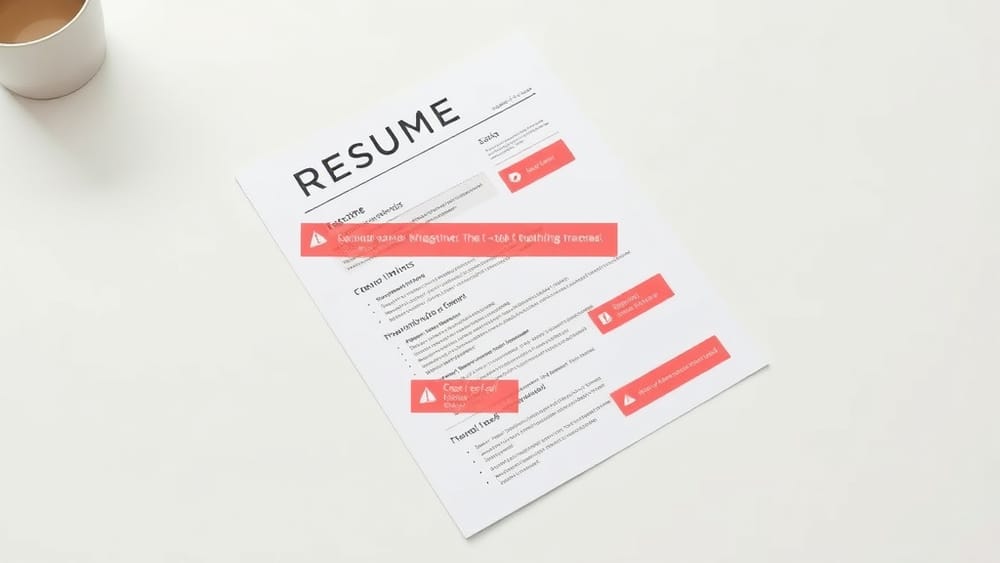
Your resume isn't being read. It's being scanned by software that doesn't care how good your experience is.
Before a recruiter ever opens your file, an Applicant Tracking System (ATS) parses every line of your resume. If it can't read the content, it flags your application as incomplete or unqualified. You get rejected automatically, and no one ever finds out you were actually a great fit.
This isn't a rare edge case. Studies suggest that roughly 75% of resumes are filtered out by ATS before a human reviews them. The worst part? Most of those rejections have nothing to do with qualifications. They're caused by formatting choices that look perfectly fine to your eyes but are completely unreadable to the software.
Here are the specific mistakes that are most likely costing you interviews.
Tables Break ATS Parsing Completely
Tables look clean and organised in Word or Google Docs. Side-by-side columns, skills grids, neat little boxes. The problem is that most ATS software reads documents linearly, left to right, top to bottom, like a text file. When it hits a table, it either skips the content entirely or scrambles it into gibberish.
A skills table with three columns might get parsed as one long run-on string. Your job titles might get merged with your company names. Dates disappear. The ATS can't match your experience to the job requirements because it literally can't find them.
Fix: Remove all tables. List your skills in plain text, separated by commas or pipes. Use standard single-column formatting for your experience entries.
Headers and Footers Are Invisible to Most ATS
Putting your name, phone number, or LinkedIn URL in the header of your Word document feels logical. It keeps your contact details consistent across pages. But a large number of ATS platforms don't read document headers and footers at all.
That means the recruiter's system might receive your resume with no contact information attached. Even if your application gets through the initial filter, the hiring manager can't reach you.
Fix: Move all contact details into the main body of the document. Your name, email, phone number, and LinkedIn profile should all sit in the top section of the page, inside the normal text flow.
Multi-Column Layouts Scramble the Reading Order
Two-column resumes are everywhere on resume template sites. They look modern and space-efficient. They are also one of the most reliable ways to get your application mangled.
When an ATS reads a two-column layout, it often reads straight across the full width of the page before moving to the next line. So instead of reading your job title in column one, then your company in column two, it might read them as one jumbled line. Your entire work history can end up in the wrong order, with your skills mixed in randomly throughout.
Fix: Use a single-column layout. It feels less visually exciting, but it parses cleanly every single time. Clean parsing is what gets you to the interview.
Non-Standard Fonts Cause Unexpected Errors
Fancy or decorative fonts might display correctly on your computer, but if the ATS system doesn't have that font installed, it substitutes something else. That substitution can shift spacing, break line breaks, and cause characters to render incorrectly.
Some font issues are minor. Others cause the entire document structure to collapse in the parsed output.
Fix: Stick to ATS-safe fonts. Calibri, Arial, Garamond, Georgia, and Times New Roman are all reliable choices. They're readable by humans and parseable by machines.
Graphics, Icons, and Images Are Completely Ignored
Profile photos, skill-level icons, decorative dividers, star ratings for languages: all of these are invisible to ATS. The software can't read image data. It simply skips over anything that isn't text.
This matters more than it sounds. If you've replaced a section header with a graphic icon, that section might not be categorised correctly. If you've used a bar chart to show your proficiency in a language, that information doesn't exist in the parsed version of your resume.
Fix: Use text only. Represent everything in plain, readable sentences or lists. No icons. No images. No graphic elements that carry meaning.
Section Headings That ATS Doesn't Recognise
ATS software is looking for specific labels to categorise your experience. It expects headings like "Work Experience," "Education," and "Skills." When you use creative alternatives like "Where I've Made an Impact" or "My Journey," the system often can't file that section correctly.
Your entire work history might end up unclassified. The ATS can't confirm you have relevant experience because it doesn't know where your experience section is.
Fix: Use conventional, clearly labelled headings. Boring is fine here. "Work Experience," "Education," "Certifications," and "Skills" will always parse correctly.
How to Know If Your Resume Has These Problems
The challenge is that these errors are invisible in normal document view. Your resume looks fine to you. You have no idea what the ATS is actually seeing.
One quick test: copy and paste your entire resume into a plain text file (Notepad on Windows, TextEdit in plain text mode on Mac). If the content falls apart, reads in the wrong order, or loses key information, an ATS will likely have the same problem.
For a more thorough check, Topapplicant scans your resume the way an ATS does, flags specific formatting issues, and tells you exactly what needs to change. Topapplicant is built by Novion and gives you a concrete action list rather than vague feedback.
Most formatting issues take less than twenty minutes to fix once you know what they are. The goal is to get your resume into the hands of a human who can actually read it. Everything else comes after that.
Scan your resume and fix the issues that are costing you interviews at Topapplicant.